
Home » Customise
Customise
Make FireArrest feel like your own. You can upload your company logo to give the platform a branded look and set your preferred unit of measurement, so everything works the way you are used to. It is a small touch that helps your team fell right at home while staying consistent and professional.

Updated: 27/10/2025
Steps to Adding a Logo
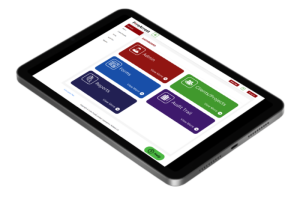
- From the Admin Centre, select admin.
- Select Customise.
- Select Company logo.
- Select upload header logo.
Please be aware that you must upload an image file for example, JPEG. The FireArrest system does not currently have a way to convert files into image files. There are online tools outside of the FireArrest system that can convert them.
5. Select save.
You company logo will now be displayed at the top of the FireArrest system and any reports that are generated after the upload.
Steps to Editing the Measurement Type
- From the Admin Centre, select admin.
- Select customise.
- Select MM/M.
- Select the toggle until it displays the desired measurement.
Please be aware that this will change the measurement type for all existing service types and materials.
5. Select yes
Was this article helpful?
Need More Help?
Table of Contents
Relevant Articles
- New to FireArrest? Start Here
- Assigning an Operative
- How to Create a Client
- How to Create a Project